.png)

Want to close more deals, faster?
Get Pod!
Fill out the form and book your demo today.
Thank you for subscribing!
Oops! Something went wrong. Please refresh the page & try again.

Stay looped in about sales tips, tech, and enablement that help sellers convert more and become top performers.
The average sales rep spends about 40% of their time actually selling, according to Salesforce's 2026 State of Sales report. The rest of the week is spent on data entry, prep, internal meetings, status updates, and the endless maintenance of keeping a pipeline honest. In the same report, 54% of sellers say they have already used AI agents, and nearly 9 in 10 expect to use them within 2 years.
Those two data points describe the real shift happening in sales in 2026. Reps are still buried in non-selling work, and the tools most of them have been handed so far have been assistive: a faster way to write the email, a slicker way to summarize the call, a prompt box waiting for input. Helpful, but not what decides the week.
The AI agent is a different kind of tool. It doesn't wait for a prompt. It watches the pipeline, decides when something needs attention, does the work, and hands the rep a draft or a decision. The rep's job shifts from operator to reviewer. That shift is where the hours come back.
The interesting question is no longer "can AI help with sales?" It's "which parts of my week can I stop doing?" This post answers that with seven specific workflows an AI agent can run end-to-end in 2026, plus a short test you can use on any other workflow in your week. If three or more of these sound like your current workload, you're looking at the fastest path to getting a selling day back.
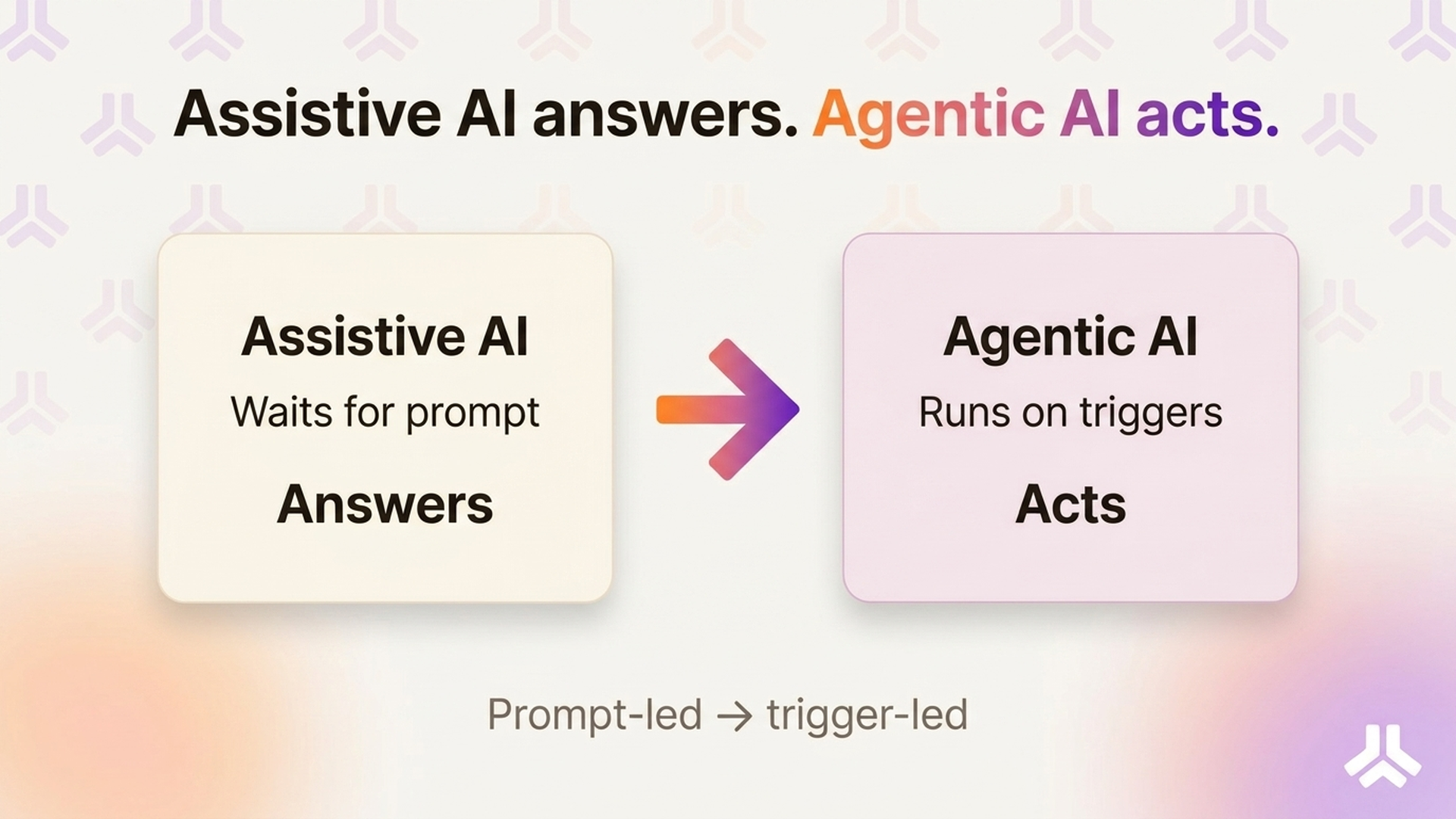
The distinction matters because the two tool categories solve very different problems. Assistive AI shortens tasks the rep was always going to do anyway. Ask it to draft an email, and it drafts one. Ask it to summarize a call, and it summarizes. The bottleneck is the rep's attention: if the rep doesn't ask, nothing happens.
An AI sales agent works differently. It runs on triggers and schedules, not on prompts. When a deal stalls, it notices. When a meeting is booked, it starts prep. When a call ends, it writes the follow-up. The human stays in the loop to review, edit, and approve, but nobody has to remember to click the button.
The test for whether a workflow is truly agentic is simple. Could the tool do this work while the rep is asleep, and then hand over a reviewable result when the rep opens their laptop? If yes, the workflow can be delegated. If no, the rep is still doing most of the work.
That framing also cuts through most of the marketing noise. "AI-powered" now gets slapped on tools that still require the rep to open the app, pick an action, and wait for output. That's assistive. When you read a vendor claim, ask what starts the work. If the answer is the rep, it's a copilot at best. If the answer is a signal, a meeting, or a schedule, it might actually be an agent.
The seven workflows below all pass that test. Each one has a clear trigger, a clear output, and a natural review point. Each one is also something a rep is doing (poorly, under time pressure) on a typical Tuesday.
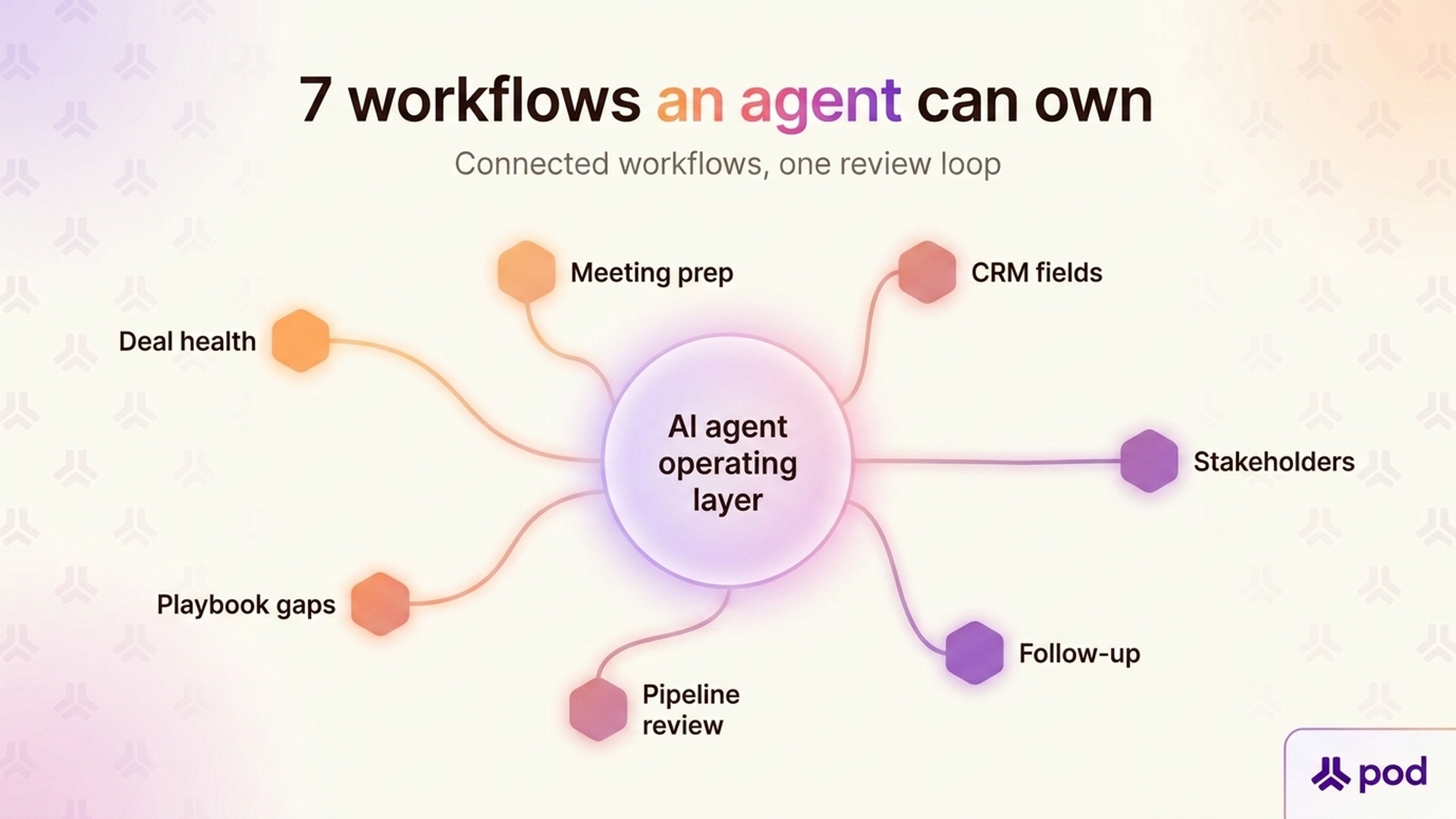
The manual version is grim. Every morning, a rep sweeps the pipeline, reads recent activity, checks close dates, and tries to guess which deals have gone quiet. On a pipeline of 20–40 deals, that's 30–45 minutes of triage before any real work starts.
A deal health agent runs that sweep automatically. It looks at activity density, stakeholder coverage, velocity through stages, touchpoint quality, and close-date drift, and it flags the deals that have actually changed since yesterday. The rep opens the day to a short list of deals that need attention and a reason for each one, not a full pipeline to re-read.
The manual version usually happens in the last ten minutes before the call. The rep skims the CRM, re-reads the last email thread, glances at LinkedIn, and walks in half-prepared. On a day with four customer meetings, that's an hour of hurried context-switching.
A meeting brief agent runs before every meeting on the calendar. It pulls attendee history, past interactions, open deal context, recent sentiment signals, and framework gaps. It hands the rep a prep doc with suggested discussion topics and a draft pre-meeting email. The rep's only job is to read it and tweak what matters.
Reps don't update the CRM because the CRM doesn't pay them back. So next steps go missing, stakeholder fields stay blank, and close dates drift. Every RevOps leader knows the pattern. CRM data gets dirty fast when no one enforces it.
A CRM field agent reverses the relationship. It reads emails, transcripts, and notes, extracts the facts (decision criteria, next steps, identified pain, new stakeholders), and proposes CRM updates for the rep to approve. The rep stops typing into forms. The fields stay current because the agent fills them in the background.
In complex deals, the buying committee is the deal. But reps rarely know in real time which stakeholders have gone cold, who's been copied out of threads, or whose sentiment has dipped. The manual version is a weekly guess, often wrong.
A stakeholder agent watches every touchpoint tied to a deal. It tracks who's responding, who's ghosting, whose tone has shifted, and which roles the committee is missing. When a champion disengages or a new blocker joins, it tells the rep what happened, who to re-engage, and what to say. Multi-threading stops being a memory exercise. The rep opens the account, sees the committee's state at a glance, and spends the hour on the stakeholder who actually moved, not on those who didn't.
The manual version is the graveyard for follow-ups. Reps leave a great call, open a blank email, stall, and send something generic six hours later. Or they never send anything. Either way, the momentum from the meeting leaks away.
A follow-up agent starts as soon as the transcript is ready. It pulls the purpose, key decisions, commitments, and open questions, then drafts a follow-up email, a CRM note, and a next-step task, all grounded in what actually happened on the call. The rep reviews and sends. The deal keeps its pace.
Most pipeline reviews begin with 30 minutes of pre-work the rep wishes they hadn't done: updating stages, refreshing close dates, explaining why a deal slipped, pulling together stakeholder notes. Managers then spend the actual meeting re-asking questions that the data should already answer.
A pipeline review agent prepares the narrative in advance. It assembles deal-by-deal summaries, flags the biggest risks, surfaces stalled or inflated deals, and drafts the rep's commentary from actual activity. Both sides walk into the review with the same picture. The meeting becomes a decision-making forum rather than a status update.
Every sales org has a methodology on paper (MEDDPICC, BANT, NEAT, ALIGN, a custom playbook) and a different one in practice. Checking whether reps are actually covering the right topics usually requires listening to calls, reading notes, and making judgment calls that no manager has time for.
A playbook agent continuously scans conversations and notes, maps what was discussed to the framework, and scores which topics are covered, which are gaps, and which look inflated. Reps see their own gaps before the manager does. Coaching becomes specific. Methodology stops being theater.
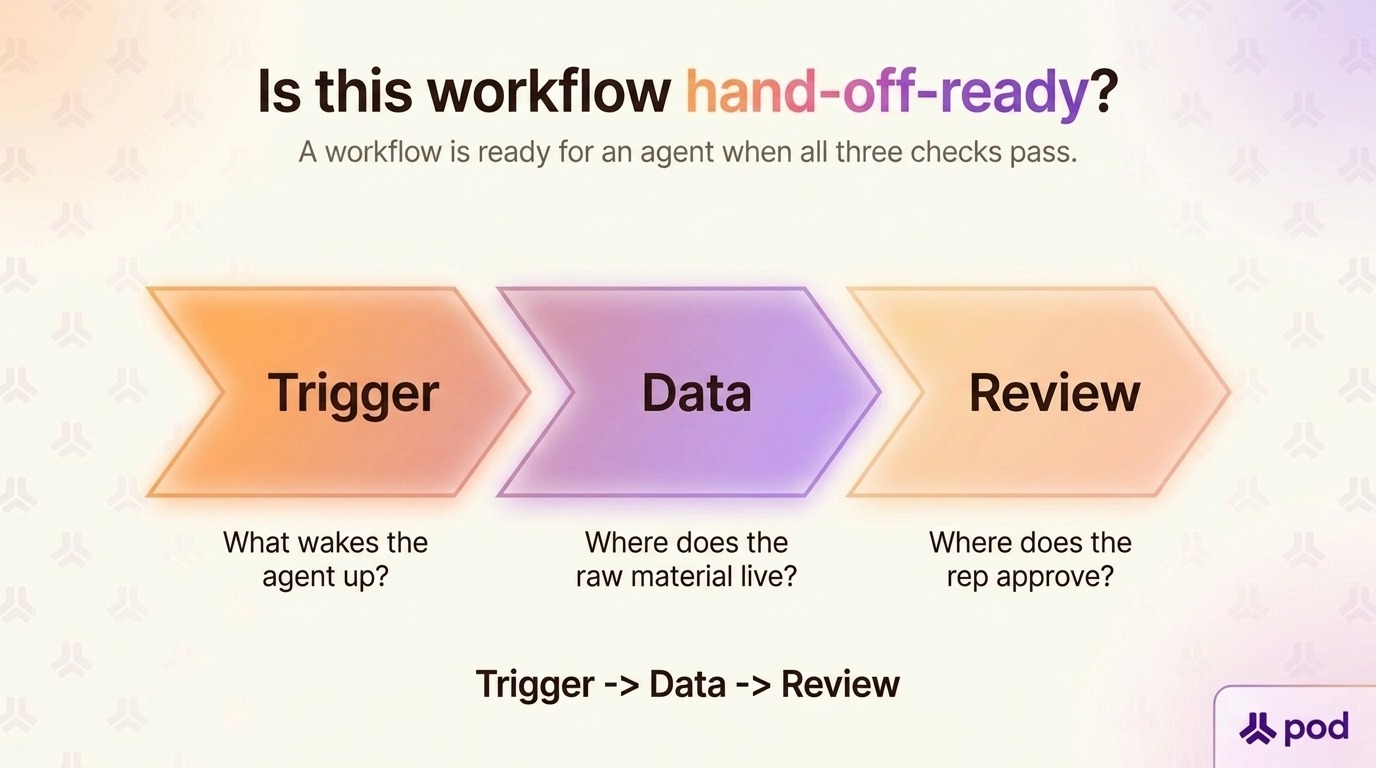
Seven is not the full list. New sales workflows become agent-ready every quarter as data sources connect and trust in human-in-the-loop review grows. Before you point an agent at something new, run it through three questions.
An agent needs a reason to wake up. A new meeting is a trigger. A closed-lost deal is a trigger. A dropped touchpoint is a trigger. "When the rep remembers" is not a trigger. If the work depends on a human noticing something first, it's an assistive task, not an agentic one.
Agents work from data. If the inputs live only in a rep's head (verbal competitive intel from a customer dinner, a gut feeling about a champion), the agent can't run it. Emails, transcripts, CRM fields, calendar events, notes, and integrated app data are all fair game. Offline context is not.
Write actions (sending an email, updating a CRM field, posting in Slack) have a higher blast radius than read-only analysis. Every agent workflow needs a moment where the rep can see the draft, catch the edge case, and approve. If the workflow doesn't tolerate a review step, either it isn't ready for an agent, or it wasn't the right candidate. Read-only analysis is the safest place to start; write actions come after the team trusts the read-only ones.
Run a quick example through the test. "Summarize what happened on this call and draft the follow-up." passes all three: the meeting ending is the trigger, the transcript is the data, and the rep reviews the draft before sending. "Call my champion and handle their objection" fails two: the trigger is fuzzy, and there's no safe review point on a live call. The first is a workflow to hand off today. The second isn't, and probably shouldn't be.
Workflows that clear all three questions are hand-off-ready. The current generation of AI Agent Builder platforms, Pod's included, lets workspaces define the triggers, point the agent at the right data sources, and set an approval step in minutes rather than weeks. This is how the seven workflows above become eight, then ten, then most of the non-selling work in a rep's week.
The point of this list isn't to remove the rep. It's to remove the work that doesn't require one. Deal health triage, meeting prep, CRM upkeep, stakeholder tracking, follow-up sequencing, pipeline review prep, and playbook compliance all need to happen on every deal, every week.
None of them needs to happen by the rep. Running them through an agent gives the rep back the hours they need for the conversations AI still can't have — the ones where a customer's real objection comes out, a champion gets coached, or a complicated deal finally lands.
Three things to do this week if any of the seven workflows above sound like your reality:
A small handful of workflows handed off to an agent doesn't change a team. Most of a rep's admin load handed off does. That's the shift this cluster of articles is pointing at, and it's what happens when every rep has their own agent: the operating rhythm of a sales team stops being a function of how disciplined each rep is on any given morning, and starts being a function of how well the team's agents are configured.
If you want to see what those workflows look like running against your own pipeline, request a free trial of Pod and point an agent at the workflow that's costing you the most hours this week.